
Get a modern, responsive and high-performance website built by an experienced developer. → 💼 Hire Me on Fiverr Today
Image Aspect Ratio Changer Online – Resize & Convert Photo Ratio Free
Online Photo Aspect Ratio Changer Without Loss
The Image Aspect Ratio Changer is a free online tool that allows you to change the aspect ratio of any image. With this tool, you can easily convert the aspect ratio of your photos to various formats such as 1:1, 16:9, 4:3, 9:16, and sizes suitable for Instagram, YouTube, Facebook, and custom dimensions.
Whether you want to create images for social media or for professional design, this tool changes the image ratio without any loss of quality.
Get a modern, responsive and high-performance website built by an experienced developer. → 💼 Hire Me on Fiverr Today
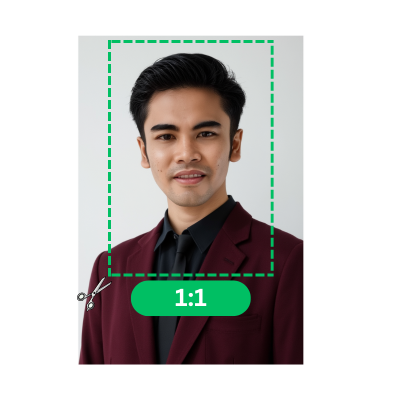
How to Change Image Aspect Ratio Online
Upload your photo by clicking the choose files button or selecting an image from your device. JPG, PNG, and WEBP formats are supported.
Choose the desired aspect ratio from the dropdown menu or enter a custom ratio using the Image Aspect Ratio Changer tool.
Adjust the image frame or crop area to fit the selected aspect ratio without losing quality.
Click the crop image button to save the image with the new aspect ratio.
Get a modern, responsive and high-performance website built by an experienced developer. → 💼 Hire Me on Fiverr Today
Frequently Asked Questions
What is Image Aspect Ratio?
Image aspect ratio refers to the ratio of an image's width to its height. In simple terms, it describes how wide and how tall an image is.
For example:- Instagram: 1:1, 4:5
- YouTube: 16:9
- Facebook: 1.91:1
- TikTok/Reels: 9:16
The aspect ratio is very important because an incorrect ratio can result in the image being cropped, stretched, or appearing blurry. Therefore, it's crucial to use the correct aspect ratio for each platform.
Can I Change Image Aspect Ratio Online for Free?
Yes, you can change the image aspect ratio online for free, without installing any software.
With the online image aspect ratio changer tool, you can:- You can resize the image.
- You can crop it.
- You can set a custom ratio.
- You can create images ready for social media.
Does Changing Aspect Ratio Reduce Image Quality?
No, if you use a high-quality image aspect ratio changer tool, the image quality will not be reduced.

 Preview